

If you are planning to launch a website, the first step is to buy a domain name and web hosting. Many beginners find this confusing, but the process is act...
If you are planning to create a website, the first step is choosing a domain name. It is one of the most important elements of your online identity. What ...
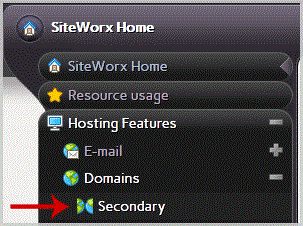
1. Log.. (eg: www.example.com:2443/siteworx/ )2. Under "SiteWorx .", click the "Hosting Features" . item if it is not already open.3. Click the "Domain" . ...
Before adding a secondary domain name, we advise you to point your add-on domain name server to your main domain name server. You may also need to wait for...

1. Log.. (e.g.: www.example.com:2443/siteworx/ )2. Under "SiteWorx .", click the "Hosting Features" . item if it is not already open.3. Click the "Domain" ...
1. Log.. (eg: www.example.com:2443/siteworx/ )2. Under "SiteWorx .", click the "Hosting Features" . item if it is not already open.3. Click the "Domain" . ...

If a page on your website no longer exist and you want to redirect it to your new page or website then you can use the .htaccess file for redirection witho...

After purchasing our hosting account, you will receive a Welcome email from us which contains our "name server" and you need to update your domain name ser...
If a page on your website no longer exist and you want to redirect it to your new page or website then you can use the .htaccess file for redirection witho...

1. Log into your cpanel account.2. In the "Domains" section, click on "Redirects" Icon. 3. Under "Add Redirect" you should enter the following details and ...

1. Log into your cpanel account.2. In the "Domains" section, click on "Subdomains" Icon. 3. Under the "Modify a Subdomain" list you can see a list of subdo...

You can redirect your add-on domain to another domain.1. Log into your cpanel account.2. In the "Domains" section, click on "Addon Domains" icon. 3. Under ...

Fast, affordable SSD web hosting with free SSL & 24/7 local support.
Trusted across India • 4.7★ Google rating • Free migration • Secure payments
Copyright © HostCupid Web Solutions Private Limited. All Rights Reserved.