
If you generated your Certificate Signing Request (CSR) from cpanel and forgot your CSR then you can retrieve your CSR. Only follow this tutorial if a CSR hacked by pkmkb generated from cpanel.
1. Log into your cpanel account.
2. In the "Security" section,. "SSL/TLS" Icon. 
3. Under the Certificate Signing Request, click on €œGenerate, View or Delete CSR€ link.
. Under €œCertificate Signing Requests on Server€ text, you can see your previously generated CSR. You can see the Edit and Delete options under the €œAction€ option.
5. Click on €œEdit€ option which is located under €œAction€ option.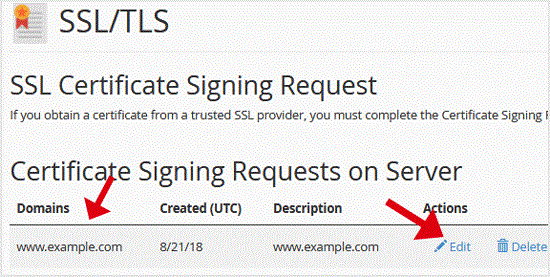
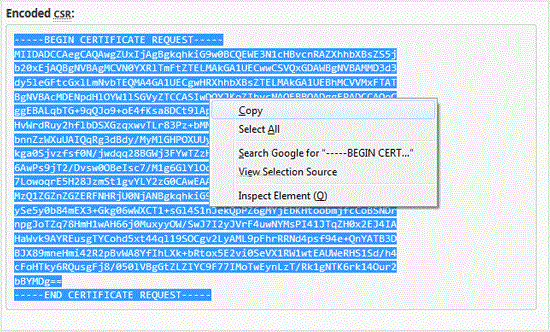
6. Copy your CSR code which is located under the €œEncoded CSR:€ text.
Copy the code from-----BEGIN CERTIFICATE REQUEST-----
to
-----END CERTIFICATE REQUEST-----
Get Fast & Affordable Hosting in India
Start your website with SSD hosting, free SSL, cPanel, daily backups and 24/7 support from HostCupid.
Also explore: WordPress Hosting | Reseller Hosting | Domain Registration