
1. Open Mozilla Thunderbird.

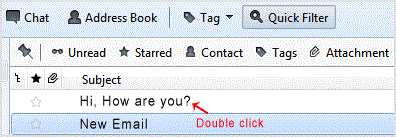
2. . email .open twice.
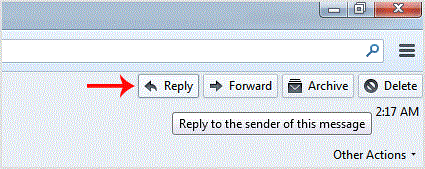
3. In the top area on right side,. "Reply" button.
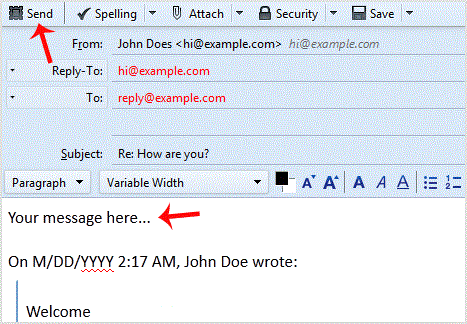
. Type your message in a message box and click "Send".
Get Fast & Affordable Hosting in India
Start your website with SSD hosting, free SSL, cPanel, daily backups and 24/7 support from HostCupid.
Also explore: WordPress Hosting | Reseller Hosting | Domain Registration