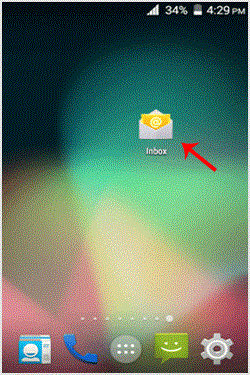
1. Press on the email inbox icon.
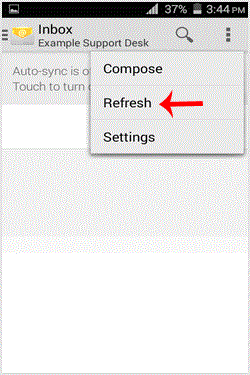
2. In the Mail options, tap on "." and then on the "Refresh" button.
If you do not want to use this method, then tap on the blank area and swipe down to refresh. It will start syncing email.
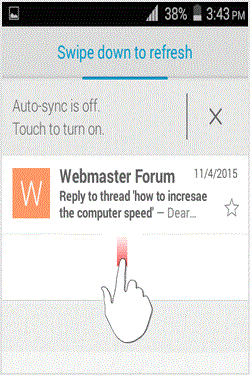
In above screenshot, you can see that after syncing, we have received a new email.
Get Fast & Affordable Hosting in India
Start your website with SSD hosting, free SSL, cPanel, daily backups and 24/7 support from HostCupid.
Also explore: WordPress Hosting | Reseller Hosting | Domain Registration