
1. Open Mozilla Thunderbird.

2. In the left panel you can see a list of your email accounts. Double Click on "Inbox" or if its hidden, click on your email, and it will expand and show the inbox, the trash list. etc.
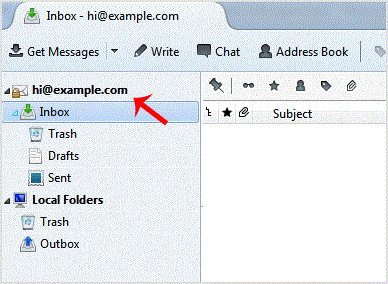
Anther option is to right. email and click on "Get Messages".
Thunderbird also automatically checks email every 5 to 10 minutes. It also automatically checks mail when you open the program.
Get Fast & Affordable Hosting in India
Start your website with SSD hosting, free SSL, cPanel, daily backups and 24/7 support from HostCupid.
Also explore: WordPress Hosting | Reseller Hosting | Domain Registration