We hope that you have already read our tutorial on How to add cpanel email account in Android Mobile and you have already added a build-in email widget to your Android screen.
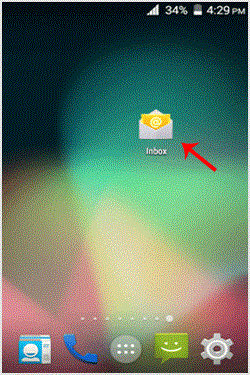
1. Open Email inbox icon.
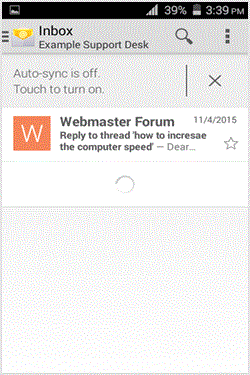
2. TAP on the email .delete. You just need to hold down your finger for only for 2 seconds and the email will be selected for removal.
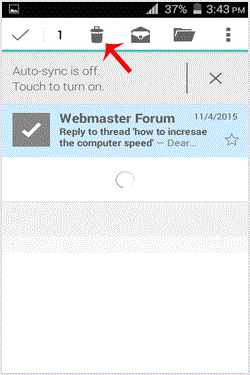
3. Now. "Delete" icon which is displayed on top.
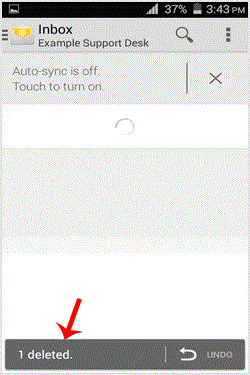
You will get the message "Email Deleted". If you want to restore the email, you will need to quickly tap on "undo". Otherwise, it will be deleted.
- 0 Users Found This Useful
-
How to Add a cpanel email account to an Android mobile?
You can add a cpanel email account to your Android mobile using the built-in email application....
How to read cpanel emails on your Android mobile?If you have already added your cpanel email accounts to your Android built-in email application,...
How to Fetch - Sync email on your Android mobile?We hope that you have already read our tutorial onHow to add cpanel email account in Android...
How to send email via your Android mobile?We hope that you have already read our tutorial on How to add a cpanel email account to your...
How to set a custom email signature in an Android mobile?We hope that you have already read our tutorial on How to add a cpanel email account to your...
