External Website can use < img /> tag to display an image from your site somewhere else on the internet and The end result of this is that the other website steals your bandwidth.
1. Log into your cpanel account.
2. In the "Security" section, click on "HotLink Protection" Icon.

3. If it displays "Hotlink protection is currently disabled",. "Enable" babies.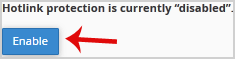
How to Configure Hotlink Protection?
Under "URLs to allow access:" you can allow an external website or your own website to have access. For example, if you have a subdomain like demo.example.com, you can add this website's url to the list of allowed websites.
- 0 Users Found This Useful
-
How to disable directory browsing using .htaccess?
For security purposes, we recommend that you to disable directory browsing on your website so no...
How to protect your .htaccess file?For security purpose we recommended you to prevent access to your .htaccess file from...
How to restrict directory access by IP address?In order to secure your admin area from hackers, we recommended you to allow access only from...
How to ban any IP Address via .htaccess?If someone is trying to hack your website or you want to block their IP Address, you can add this...
How to blacklist an IP Address to deny it access to your website?You can lock directory with a password by using cpanel "Password Protected Directories" option.1....
