If you can access your cpanel account, follow these steps to reset your password:
1. Log into your cpanel account. (eg: www.example.com/cpanel )
2. In the "Preferences" section, click on "Password & Security" Icon.
3. Enter your old password.
. Enter your new password or use a password generator.
5. Click on change password.
You will see a success message then it means your password is changed, Log out and access your account using your new password.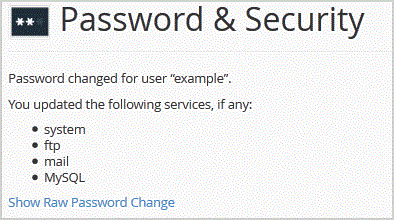
Note: If you forgot your cpanel password and are unable to access your account, please open a ticket with us.
- 0 Uživatelům pomohlo
-
How to update your cpanel Contact Information or receive a notification on reaching quota limit?
If you want to receive notification on reaching your disk quota, bandwidth usage limit, reaching...
How to Change cpanel Style/Theme?Switching over to another cpanel theme with a different style is easy and there are two ways to...
How to Edit file in the cpanel File Manager?1. Log into your cpanel account.2. In the "Files" section, click on "File Manger" Icon. 3....
How to Change Language of your cpanel?cpanel supports a lot of languages, and if you want to change your cpanel language to your native...
How to create a new folder or files in the cpanel File Manager?1. Log into your cpanel account.2. In the "Files" section,. "File Manger" Icon. 3. cpanel...
