We hope that you have already read our tutorial on How to add a cpanel email account to your Android Mobile and you have already added a built-in email widget to your Android screen.
cpanel allow you to send emails using various IMAP/POP/SMTP technologies. However, we are using the Androids built-in email so it will be easier for you to send email.
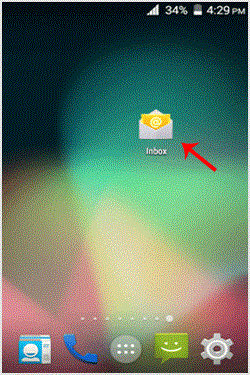
1. Open Email inbox icon.
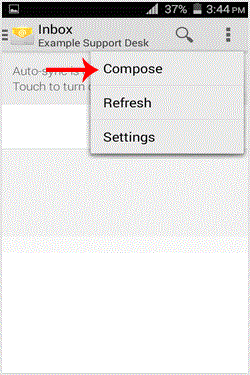
2. In the Mail option, tap on "." and then tap on the "Compose" babies.
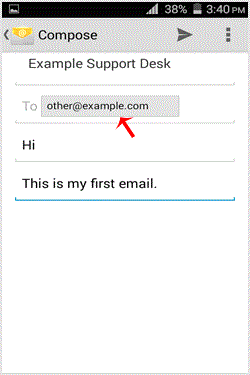
3. Enter the email address of the person to whom you want to send your email in the "To" Field, an email subject and your message. Then. "Send" icon.
- 0 用戶發現這個有用
-
How to Add a cpanel email account to an Android mobile?
You can add a cpanel email account to your Android mobile using the built-in email application....
How to read cpanel emails on your Android mobile?If you have already added your cpanel email accounts to your Android built-in email application,...
How to delete cpanel email in your Android mobile?We hope that you have already read our tutorial on How to add cpanel email account in Android...
How to Fetch - Sync email on your Android mobile?We hope that you have already read our tutorial onHow to add cpanel email account in Android...
How to set a custom email signature in an Android mobile?We hope that you have already read our tutorial on How to add a cpanel email account to your...
